On deploying Ceph
On deploying Ceph
I deployed Ceph recently since I’ve been working with it for a while but as things go sometimes we don’t master every tool we encounter. I find Ceph concepts fascinating, by design the way it recovers from failure or just how CephFS abstracts so much.
So I finally read a book I got on it from a previous manager, shoutout Francis hope you’re well, called Mastering Ceph - Second edition there’s also a git repo but it’s getting old and I wanted to work on the latest and greatest. The book is still fine to learn the basic concepts (though I’m like half done really)
This is in no way a production setup, it would need very fast networking (10Gib+) and dedicated SSDs, this is really just playing around with the tech to understand it better
I chose Vagrant and Ansible because I’m already working with rook and k8s all day so I wanted a different setup I felt I could break. There’s some handguiding in rook I wanted to avoid to explore.
Prerequisites
- You will need some compute, in my case my personal PC is strong enough to handle the vms
- You will need storage, I use my Unraid setup mounted as nfs
- Vagrant
- Ansible
- A bit of patience :)
Setup
| |
Make sure the networking is not overlapping with yours, the default cidr is 192.168.56.0/24, it can be changed in the defaults of the ansible role
Exploration
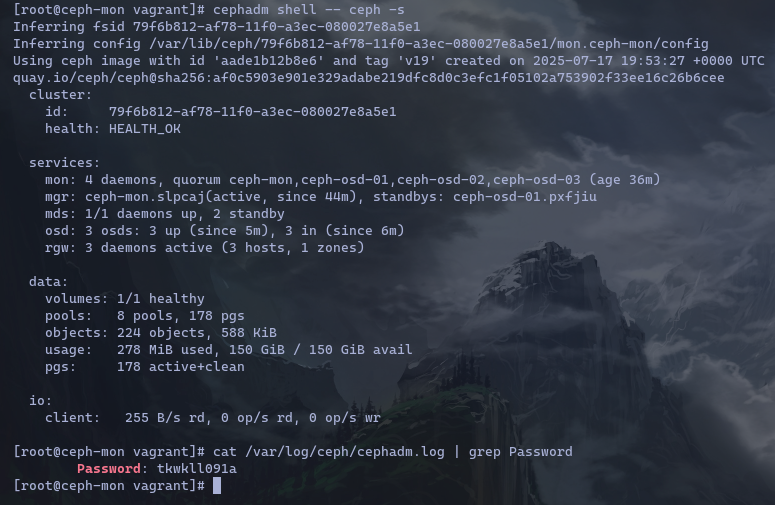
Let’s login onto our ceph-mon and validate our current state + fetch the default admin password so we can login on the dashboard.
| |
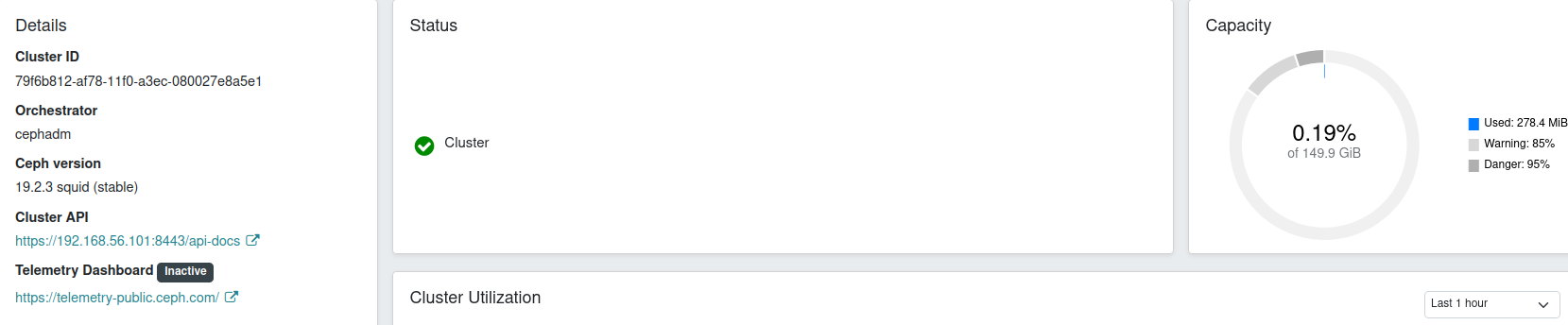
Using your favorite browser go to https://192.168.56.101:8443 and go through the login process
If all is well you’re logged in and the cluster is in a mostly healthy state!
Next posts I’ll explore it more and show some of the feature like compression and how PGs are moved around when OSDs are added